
- Blog Post
- Estimated Read Time
- Getting Started
How to Create a Free Account
Welcome to BillTrack50!
Congratulations on your excellent decision to sign up for our free account, which gives you access to our bill, legislator and committee search tools in the current session. You also have access to AI Assist - AI generated plain English summaries of bills and AI-powered similar bills searching.
Make a free account
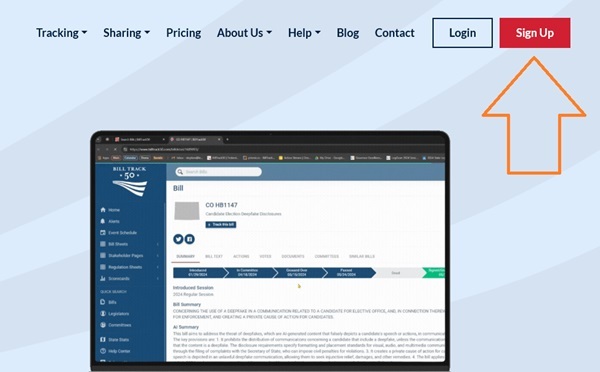
Click on our “Sign Up” button from the BillTrack50 homepage. From there, you’ll be able to register to create an account:
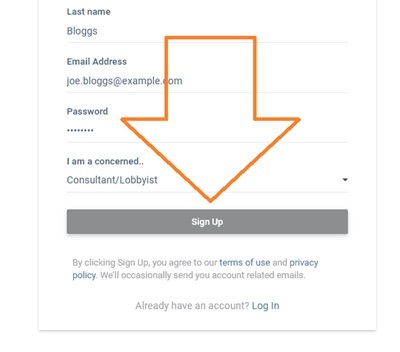
Complete the form with your details and set a password. Don't forget to tell us your role to help us support you better:

Click Sign Up:
We'll send you an email and you need to click on the link in the email to validate your account, before you can log in. If there are any issues, or you don't click the link in time, then you can click the Resend Confirmation Email link on the next screen. Or contact us for help.

When you log in, you will see your home page. A few things to note:
As a free user, you can only use the QUICK SEARCH functions on the left to search for bills, legislators and committees in current legislative sessions. If you want to track or share legislation, or see historical bills, you will need to purchase a subscription. You can start a no-obligation free trial of our paid services from the home page, and you can also book a demo where we can show you our products and help you choose the right subscription.
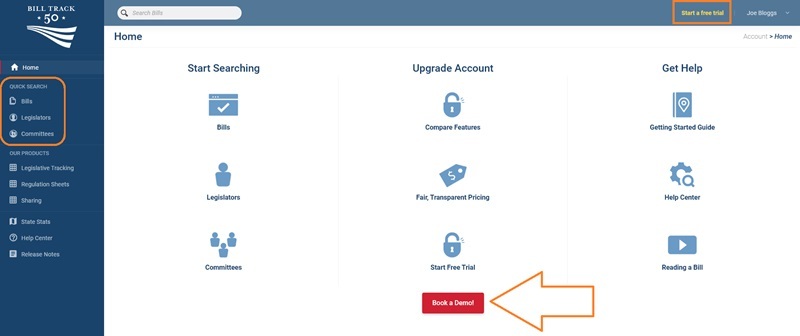
The home page also has useful links to our help center, a getting started guide and other information.
Enjoy BillTrack50!