
- Blog Post
- Estimated Read Time 0:02:14
- Advanced
How to Use the Advanced User Management Tools
Look in your main menu by clicking on your name in the top right. You will see a Manage Groups option in the account menu
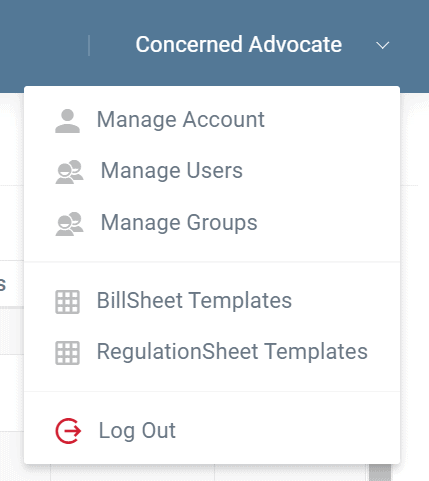
This menu option leads to a straightforward group management screen. You’ll see a list of your existing groups which you can edit any time, and an “Add” button. To screen to create or modify a group lets you enter a name for the group and then presents you a list of all of the items in your account. Simply check off the users you want to add to the group (or uncheck a user to remove them) and then choose which bill sheets, stakeholder pages, etc you would like to include in the group and at what permission level. Every user in the group will then have access to those items at the appropriate permission level.
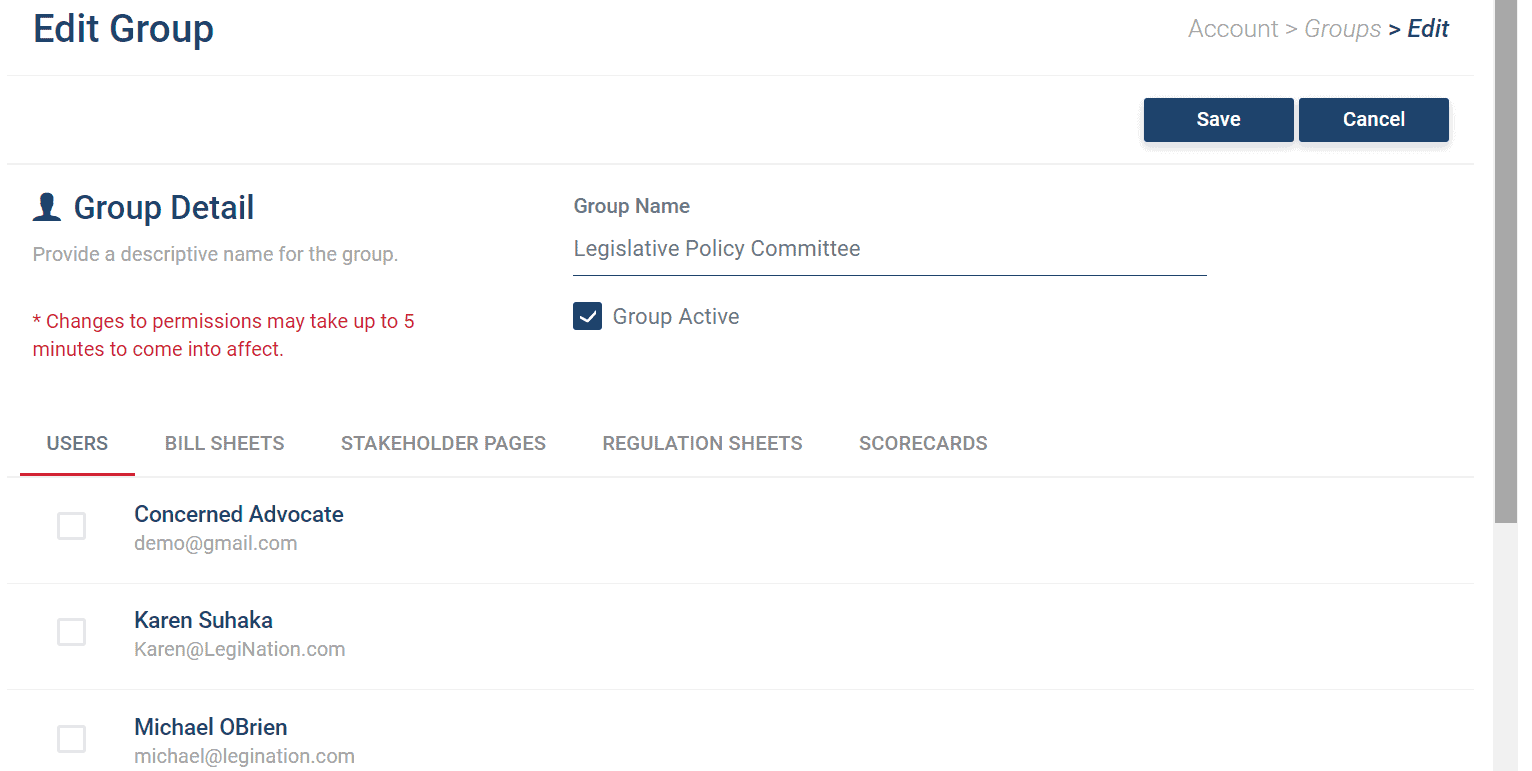
For example you can create a group called “Members”. You can give that group view permission to a Key Legislation bill sheet and comment permission to a Member Discussion stakeholder page plus view permission to a series of 3 regulation sheets. Then whenever you add a user to the Member group they will have the proper access to all five items. A user can be in more than one group, so you might also add a certain user to the “Legislative Committee” group giving them access to other items too.
If a particular user needs higher access to a particular item you can manage that user’s settings individually. Users can be in more than one group, or no groups. Keep in mind users can always create their own bill sheets and do their own searches; those sheets are private to that user until a security admin changes the permissions on the new sheet. If a user creates a sheet or scorecard that the whole group should see, simply edit the group to add the new item.
If you are a national organization with state chapters, for example, you are sure to find this functionality helpful. Each chapter can have their own group and one security administrator who controls items and users permissions for the group. The state chapter can be set to use their own items plus have view access to certain national level bill sheets.
Trade associations with member companies who are offer BillTrack50 as a member benefit will find group management helpful as well. Association members can be set up in a group structure with controlled amounts of information. And now member users can make their own private searches and set up their own alerts without filling the national account with random items.