
- Blog Post
- Estimated Read Time 2:00
- Getting Started
How to Use Quick Search
Quick search for bills, legislators, and committees is available to all BillTrack50 users, whether you have a free account or a subscription. However, the regulations search is only an option for users with a regulations subscription.
NOTE: Quick Search ONLY searches bills from the current session, or regulations from the past 12 months. If you want to find older bills or regulations then you will have to search using a bill or regulation sheet instead. These are only available to subscribers.
Quicker Quick Search for Bills
The quickest quick bill search is to use the search bar at the top of most pages:
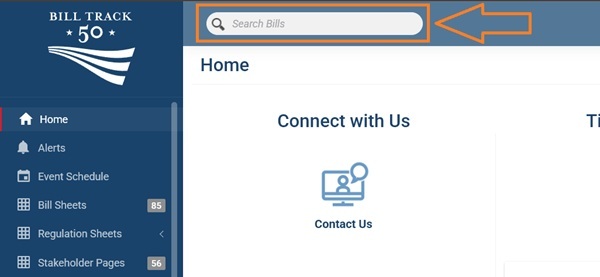
Simply type your query and press Enter. This will take you to the main bill quick search page and show results.
Quick Search Menu
you can get to the Quick Search page from the navigation panel on the left. Click Quick Search:
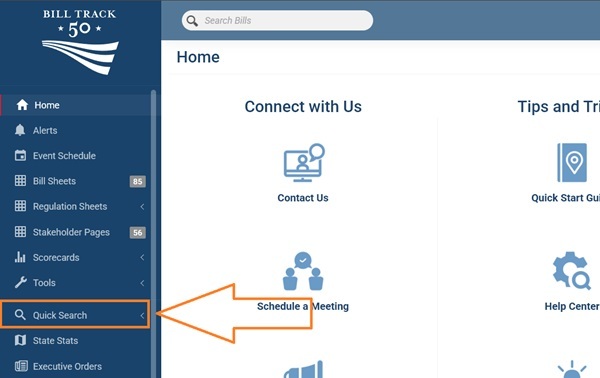
The menu option will expand to allow you to click which type of quick search you want:
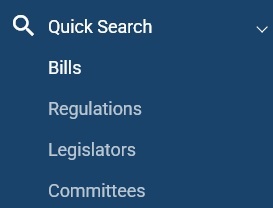
NOTE: regulations quick search will only be an option for regulations subscribers.
You can select any of the four quick search options at the top. Again, SEARCH REGULATIONS will only be an option for regulations subscribers.
Choose your search option to go to the main search screen.
Bills
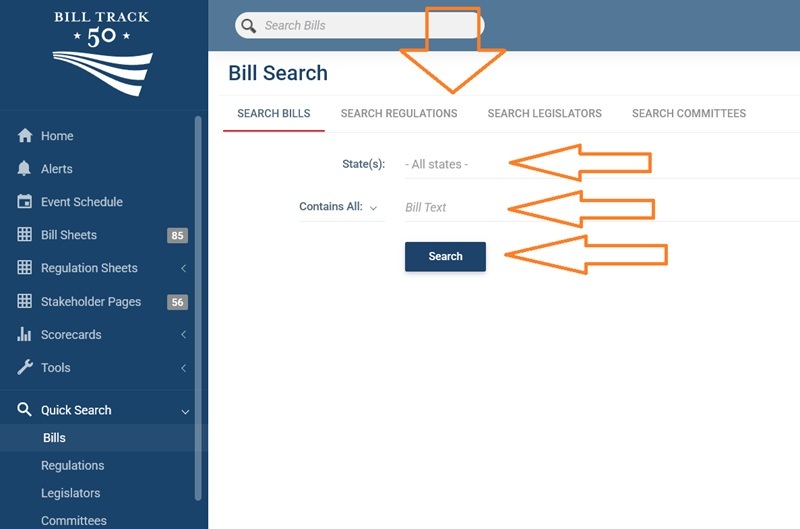
The bill search relies on keywords found within the bill text or title. For AI-based searching methods, see this post.
Choose the state or states you are interested in. By default, the search is set to 'all states' which includes all 50 states plus D.C. City Council plus Congress ('United States'). You can instead choose just one state or several states using the drop down menu.
There are four options for searching. Contains All means that all the words and phrases you type must be contained in a bill for it to appear. You can click 'Contains All' to change that option to Contains Any (only one of the words or phrases needs to appear in a bill) or Contains Near (add a phrase where there may be variations in exactly how it is expressed in bills). Plain English Description is a way of searching that uses AI to find bills by simply describing what you are looking for. For more information on plain English searching, see this post.
For more information on creating a good search, see this post.
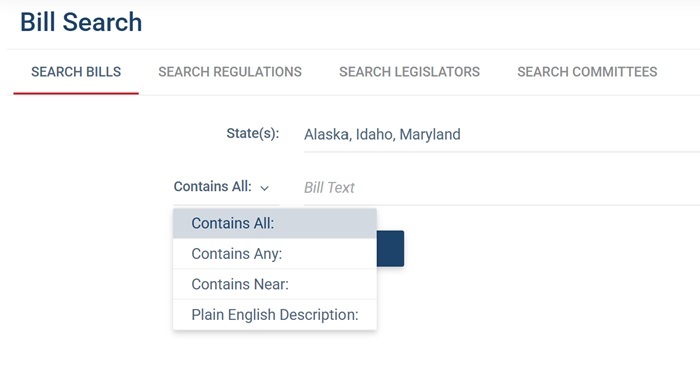
So, if I'm looking for AI bills in Alaska, Idaho, and Maryland I may create a search that looks like this:
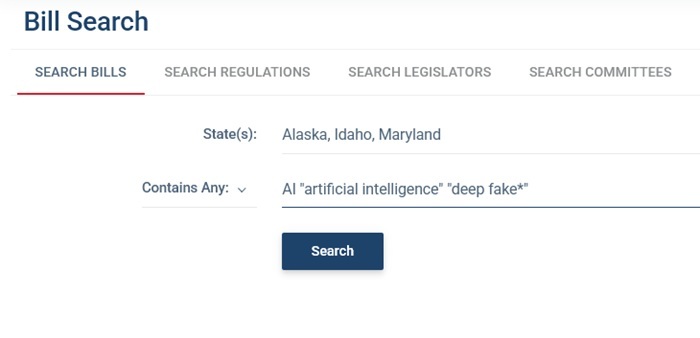
I have chosen Contains Any so I'll see any bills that contain at least one of the words or phrases.
NOTE: if you want to search for a phrase it needs to be enclosed in quote marks like "artificial intelligence". There is also a wildcard - the * symbol, which will find any words with other letters after that symbol. So "deep fake*" will also find deep fakes. Don't use any other punctuation such as commas, and the search is not case sensitive so capital letters don't matter.
Click Search and the list of bills will be shown.
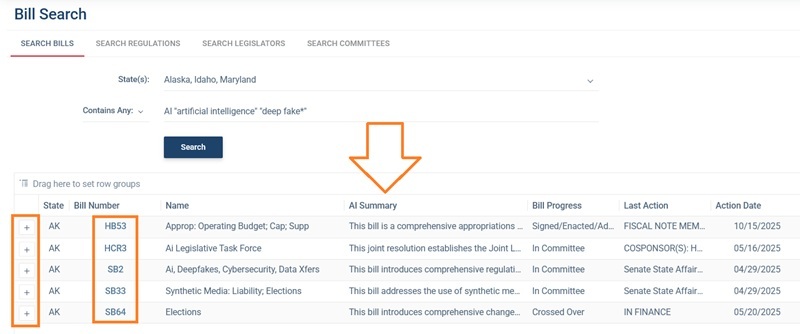
Bills are only shown from current sessions - either the session currently underway or the most recently ended session if the state is out of session.
You will see a standard set of columns. Note the AI summary column - this contains a plain English AI-generated summary of what the bills aims to do. Read this post for more information on AI summaries.
Click any cell to expand it so you can read the full text. Press the space bar to shrink it again.
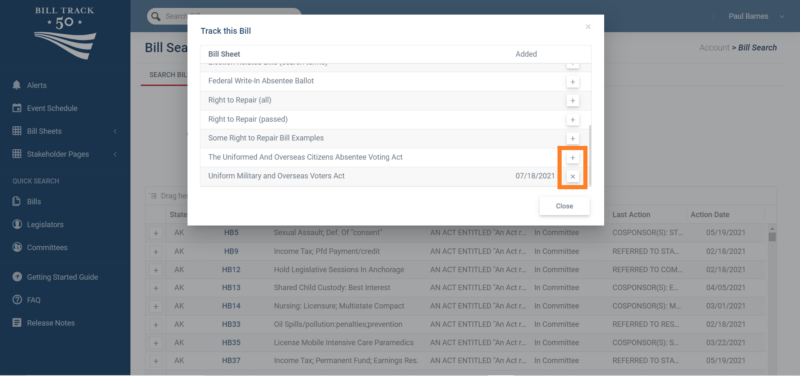
Click the bill number to see a bill. If you are a subscriber, you can also click on the “+” next to its State to add that bill to one of your bill lists to track. When you click the “+” a window will pop-up with a list of your bill sheets, simply click the “+” next to the corresponding bill sheet and it will be added to that sheet. If instead of a “+” there is an “X” then that means this bill is already on that Bill Sheet, clicking on the “X” will remove it from your sheet.
Regulations
Regulation searching works in a similar way to bill searching, above.
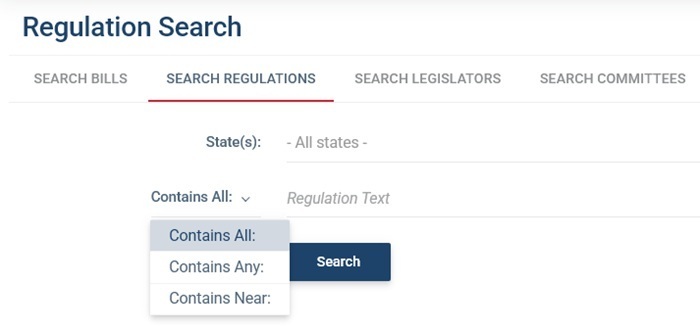
You still select your state or states - this time the options are all 50 states and federal (which is 'United States' in the list).
The searching options and functions are the same.
You will see regulations from the past 12 months only.
For more information on tracking regulations, see this post.
Legislators
BillTrack50 has information on all legislators currently in office across all 50 states and Congress. You can search by state and/or first and/or last name.
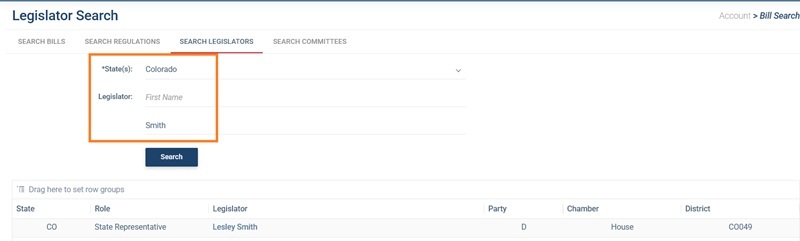
Click the legislator's name to see the legislator page with full details. Read this post for more information on legislator pages.
Committees
BillTrack50 has information on all state and congressional committees, including membership and the bills they are considering. Many also have staff information (only available with a subscription).
Search by entering a word or words from the committee title and selecting the states you are interested in.
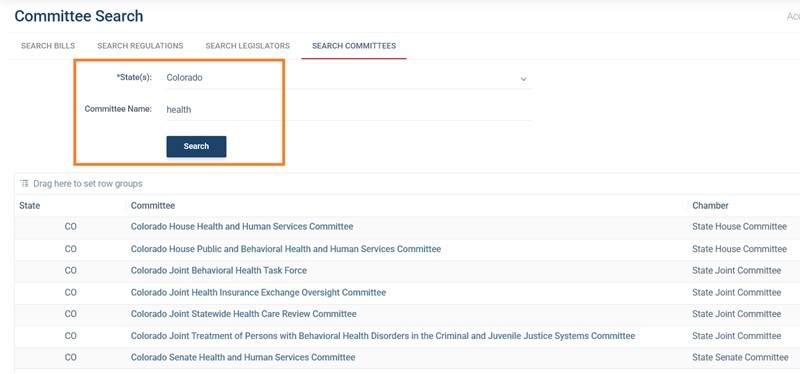
Click the committee name to go to the main committee page. Read this post for more information on committees.